Press kit
Everything you need to write about CAPITOR
Texts, facts and images on this page are free to use in articles, reviews and posts about the app, with or without changes. If you need something that isn't here — a specific screen, a quote, a number — write to hello@capitor.cloud; we answer within a day.
Boilerplate
Three lengths, copy any of them
One line
CAPITOR: tick the task, the payment is logged.
Short — 50 words
CAPITOR is a personal finance tracker merged with a task planner. A task can carry an amount, an account and a category: tick "Pay the internet bill, 29" and the transaction is recorded and the balance updates by itself. Accounts, budget, goals and net worth in one place. Works offline; cloud and AI are opt-in.
Long — 160 words
People who try to budget usually keep two lists: things to do and money spent. Bills live in the to-do app, payments in the finance app, and the two never meet — so bills are paid late and expenses are logged inconsistently. CAPITOR merges the two records into one. A task can be a payment: tick it off and the transaction is written, the account balance moves, the bill is done. Around that idea sits a full personal-finance toolkit — accounts in any currency, bank-statement import from pasted text or a screenshot, recurring payments and subscriptions, spending reports and a calendar of expensive days — and a planner with priorities, projects, a hundred goals for the year and habits that turn into savings. Capital is shown as a whole: property, debts and net worth as one figure, with a debt-payoff plan. Everything works offline on the device; cloud backup, AI insights and desktop sync are switched on by the user and stay off until then. Six interface languages. Free, no ads.
Facts
The numbers and names, checked
| Name | CAPITOR — always in capitals. Store title: "CAPITOR: Money & Tasks". |
|---|---|
| Category | Personal finance + task planner. Store categories: Finance (primary), Productivity. |
| Platforms | iPhone and iPad (App Store), Android (Google Play), browser at app.capitor.cloud, desktop for Windows and macOS. One dataset across all of them once sync is on. |
| Languages | English, Russian, Greek, Spanish, Arabic, Chinese — interface, starter data and store pages. One of very few personal-finance apps fully localised into Greek. |
| Price | Free. No advertising in 2026. A paid Premium subscription is planned for 2027; the essentials stay free. People who leave an email before launch get a year of Premium at no cost. |
| Privacy | Data lives on the device and works offline. Cloud backup, AI insights and phone-to-computer sync are opt-in. Voice entry is recognised on the device. No bank connections, no account aggregation, no payment processing. Account and cloud data can be deleted from inside the app. |
| What's genuinely different | A task and a payment are one record. Net worth, not only spending. A quit habit becomes visible savings with compound interest. Privacy by default rather than by settings. |
| Developer | Independent developer, based in Cyprus. Contact: hello@capitor.cloud. |
| Launch | September 2026: web version live; iOS on the App Store since 10 September 2026; Android in closed testing on Google Play. Store links appear on capitor.cloud as they open. |
| Website | capitor.cloud/en · press: capitor.cloud/press |
Assets
Icon, banner, screenshots
Right-click → save, or open the link for the full-size file. Screenshots are the same frames used on the store pages; more screens (reports, calendar, health, goals, journal) are available on request in any of the six languages.


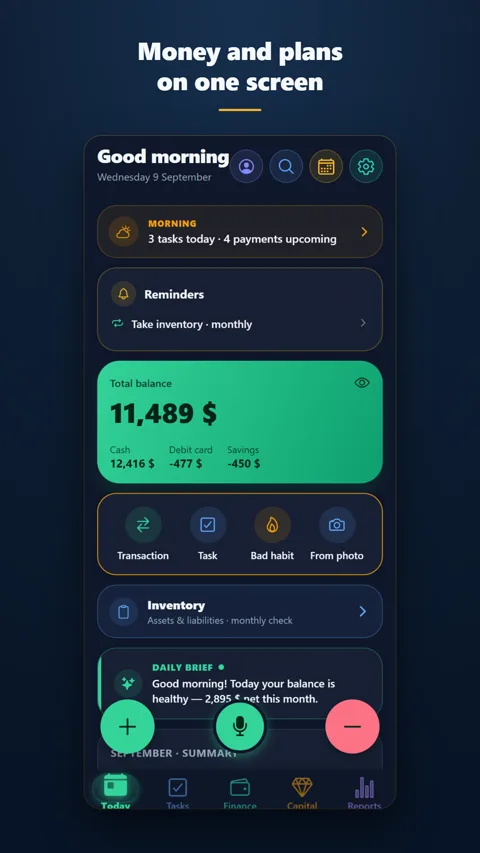
Today (EN) · 1080×1920 PNG

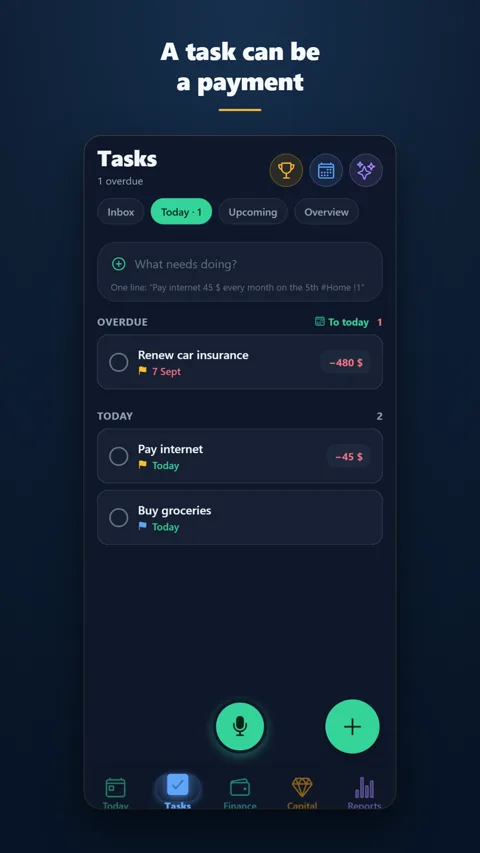
Tasks (EN) · 1080×1920 PNG

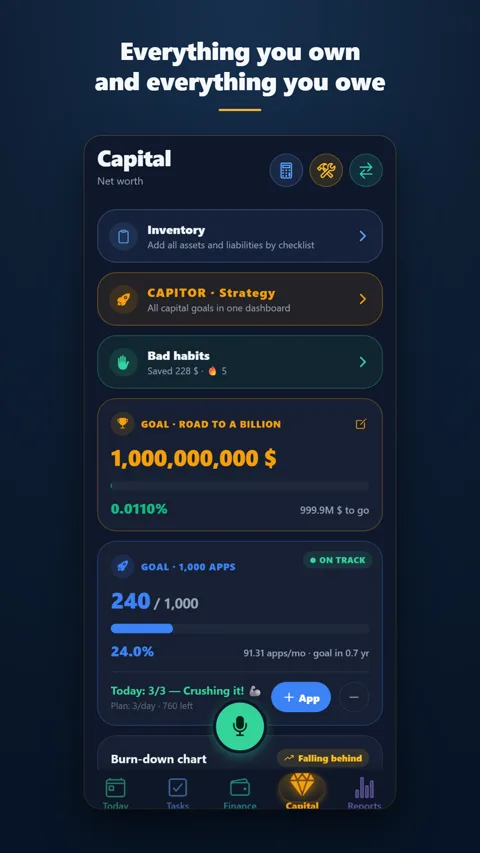
Capital (EN) · 1080×1920 PNG

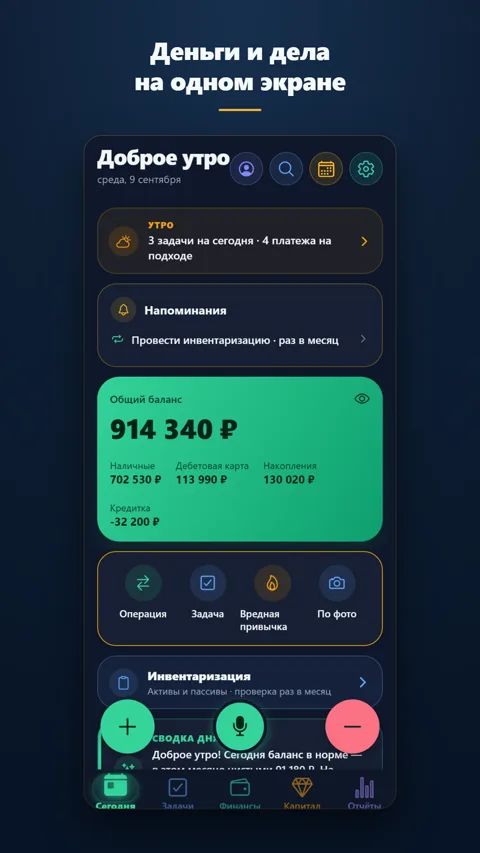
Today (RU) · 1080×1920 PNG

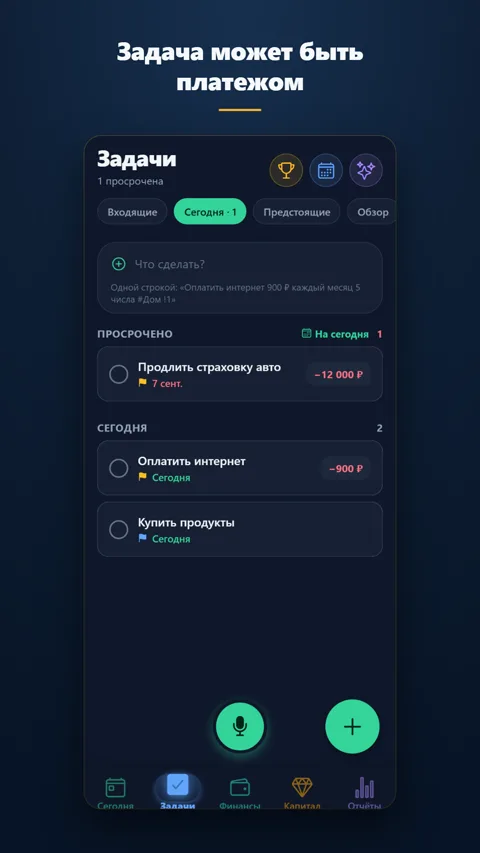
Tasks (RU) · 1080×1920 PNG

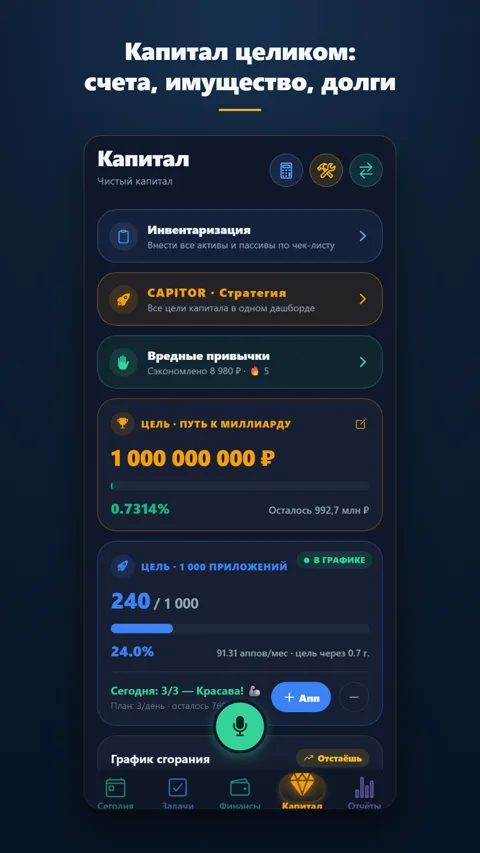
Capital (RU) · 1080×1920 PNG

Brand notes
How to write and show it
Name
CAPITOR, all capitals, no article ("CAPITOR", not "the Capitor"). The name joins Capital and Monitor; the ring in the icon is an orbit around the "C".
Colours
Dark ground, gold for money, green for growth. The icon works on dark and light backgrounds; please don't recolour or add effects to it.
What to avoid
Don't describe CAPITOR as a bank app or a budgeting app "connected to your accounts" — it deliberately isn't. Don't promise features that are opt-in as if they were on by default (cloud, AI). The habit calculator is an illustration of compound interest, not investment advice.