Scenario
The internet bill: from a line to a report
STEP 1 · TASKS
Type it as one line
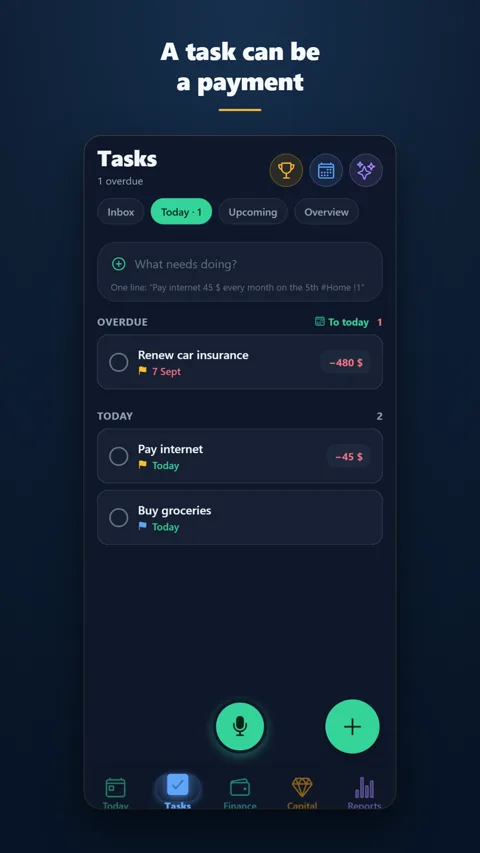
In the "What needs doing?" field on the Tasks screen: Pay internet 45 $ every month on the 5th #Home !1. CAPITOR picks up the amount, the repeat, the due date, the project and the priority — the task is created, and it already has an amount, an account and a category.
STEP 2 · TODAY
On the day, it's on the home screen
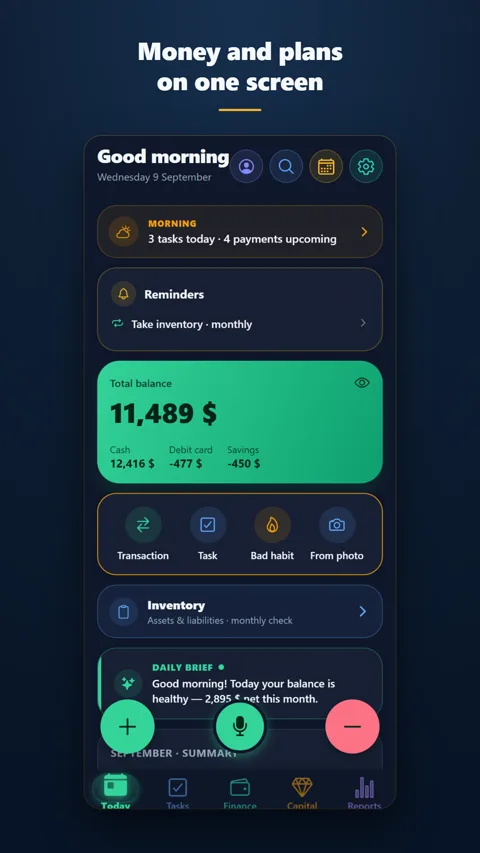
Today shows the balance, the day's tasks and upcoming payments. Anything overdue rises to the top and is marked — it can't slip past.
STEP 3 · THE TICK
Tick it — the payment is logged
One tap. The task closes, a transaction "Internet · Home" appears in Finance, the account balance drops by 45. Nothing to enter twice. Next month the task is already waiting with a new date.
STEP 4 · REPORTS
See where it went
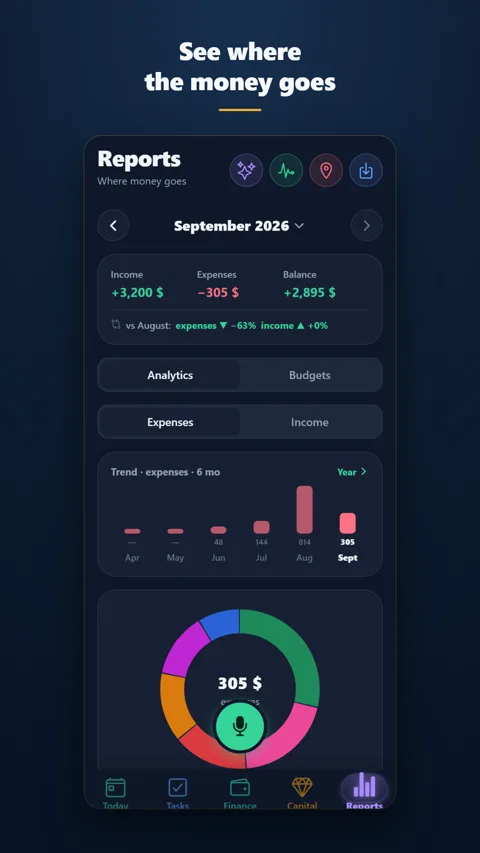
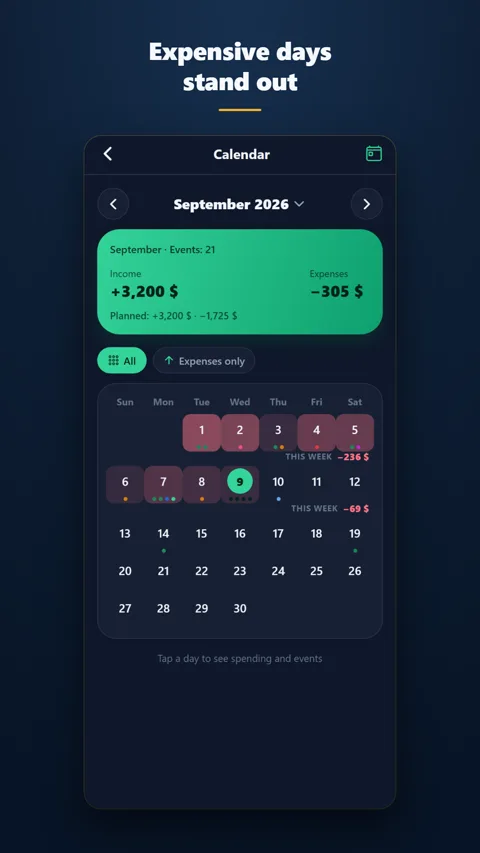
In Reports the payment sits under "Home", the spending calendar highlights the day with its amount, and the health screen shows what such "small things" cost over a year.